A shared view of the team
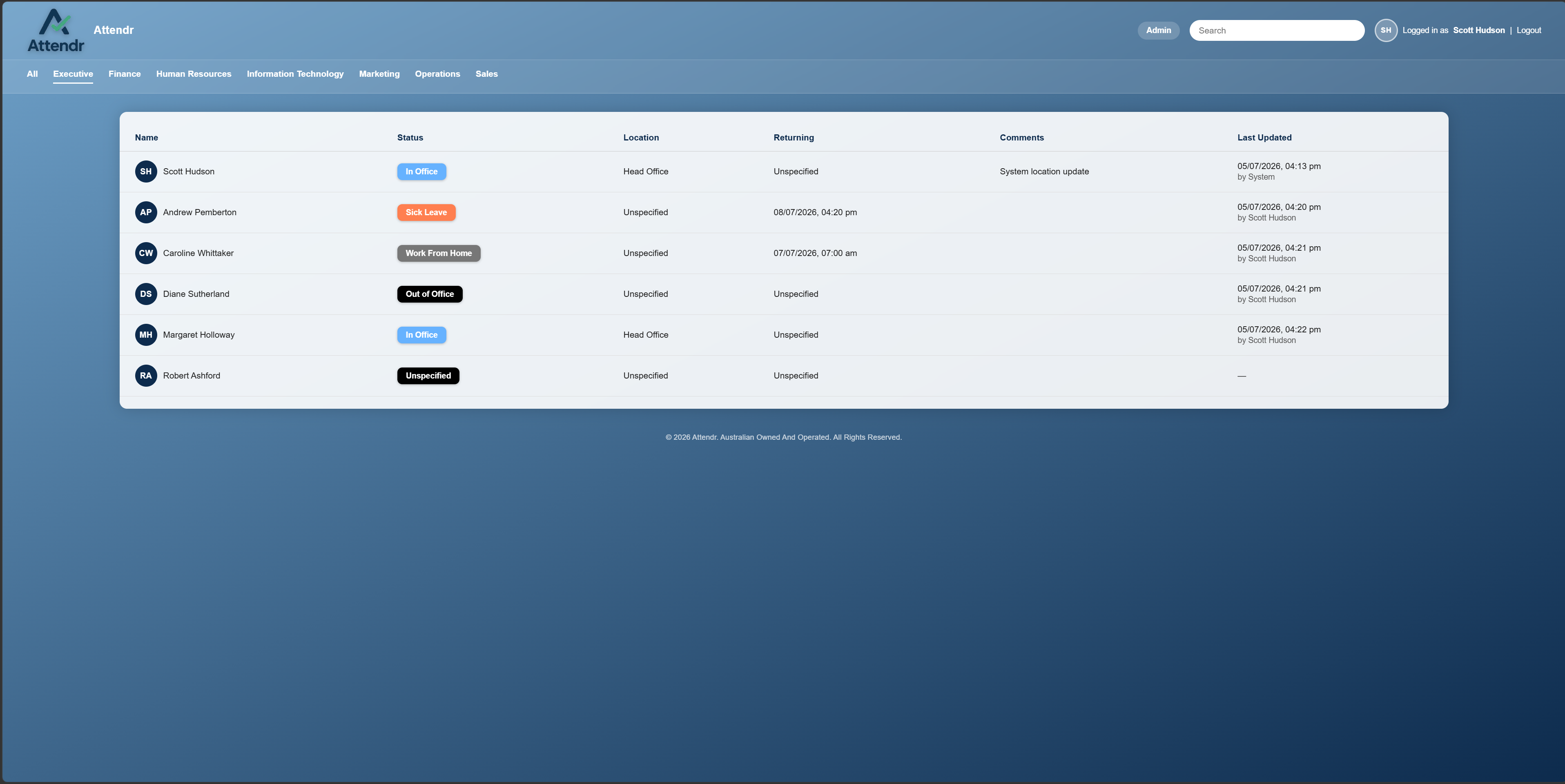
See status, location, return times and comments in one place. Search by name or narrow the board to a department.
PRESENCE / PEOPLE / PLACE
Know where your team is.
Get on with your day.
A live presence board for the everyday rhythm of a team. Who’s in the office, working remotely or away — with the context to know when to reach them.
One place to answer “are they in?” without another message, phone call or walk around the office.
See status, location, return times and comments in one place. Search by name or narrow the board to a department.
Map network ranges to your locations so Attendr can update presence based on the network a person connects from.
Active Directory integration helps bring staff accounts into Attendr without maintaining a second directory by hand.
Kiosk mode gives reception areas and shared spaces a dedicated view of team availability.
Manage departments, locations and statuses, and customise the branding to suit your team.
Host the application and its SQLite database on your own infrastructure. Staff use their browser to access it.
From a quick look at the team to managing the places they work. Select a screenshot to open the full-size image.
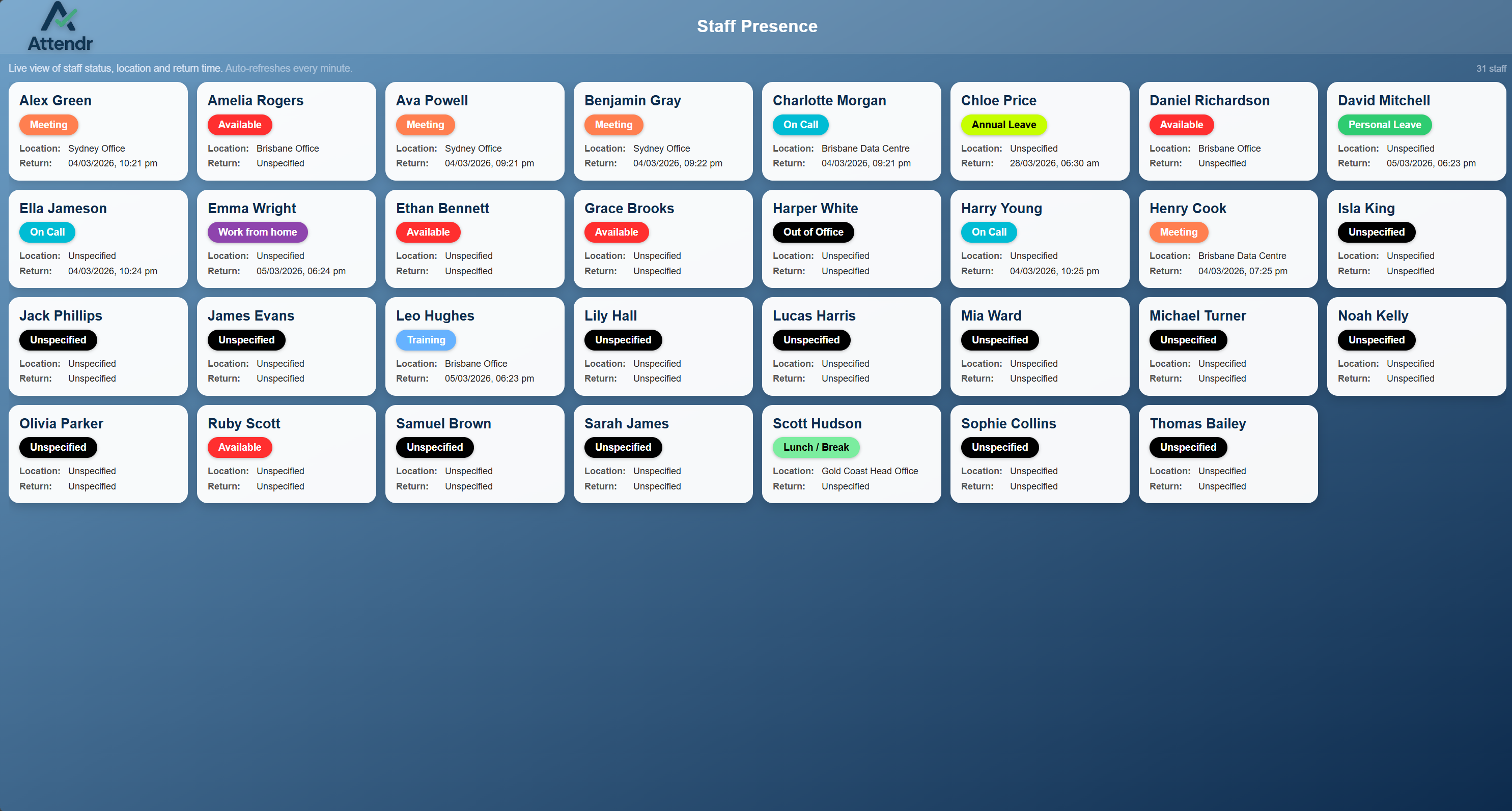
Give reception and communal spaces a dedicated presence display.
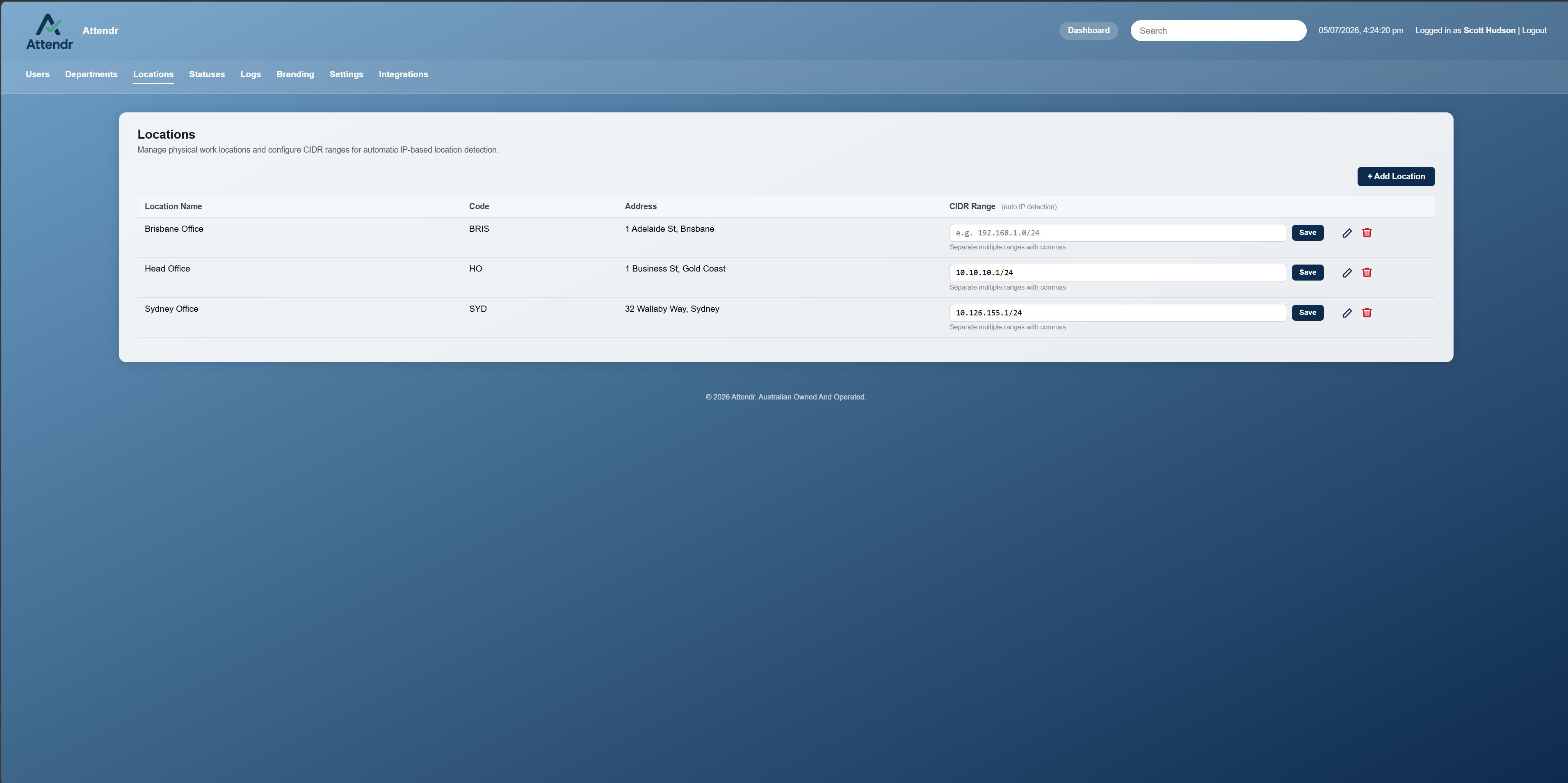
Configure your locations and their network ranges from the administration interface.
ON-PREMISE BY DESIGN
Attendr runs inside your organisation’s network. A central application serves the dashboard to staff browsers and shared kiosk screens, with an embedded SQLite database.
SETUP & SUPPORTInstall the application on your own infrastructure.
Set up users, departments, statuses and locations.
Staff and shared displays connect through a browser.
The everyday question of who is available and where they are. It gives teams a shared presence board with statuses, locations, comments and return times.
Staff access Attendr through a web browser. The Attendr application runs centrally on your organisation’s own server.
Administrators associate network ranges with locations. Attendr uses the connecting device’s network address to determine a matching location; it does not require GPS tracking.
The Attendr product website has the download, current pricing and licence terms, plus setup and support information. Use the links below to go directly to those pages.
RELEASES / WINDOWS
The main download points to the current release. Your permanent full licence includes future updates to this app.
SHA-256 identifies the exact release file.
188110a79f6399dab99f66ad549807688569fa159dfed908484e91cb3cc7cf06CURRENT WINDOWS RELEASE / v1.0.1
Attendr is free for up to 30 active users, with no time limit. A$100 once unlocks unlimited users for one installation, with a permanent licence and all future Attendr updates included.
The download page serves the current Windows release. Your licence unlocks the same app; there is no separate paid installer.